False Positive Analysis
Overview
False Positive Analysis uses the AppSec AI Agent to help validate whether a reported vulnerability should remain actionable or be treated as a false positive.
When enabled through Policies, the capability can:
- analyze vulnerabilities using AI;
- update the status to False Positive or Identified;
- record the decision and justification in the Timeline.
All AI-driven decisions remain visible and auditable.
Where to Find It
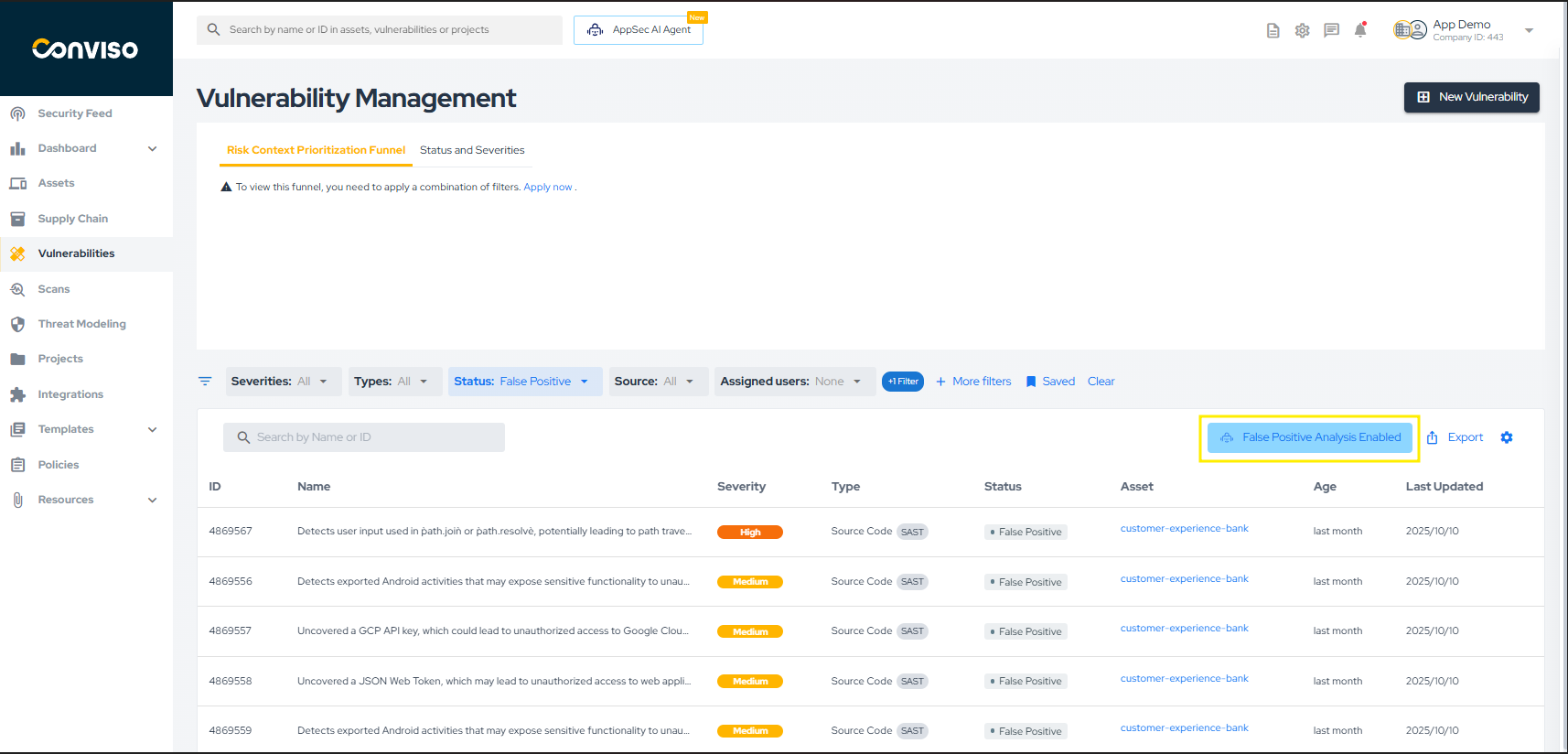
When the capability is enabled, the AI indicator appears above the filtered vulnerability list in the Vulnerabilities area.
Reviewing the Analysis
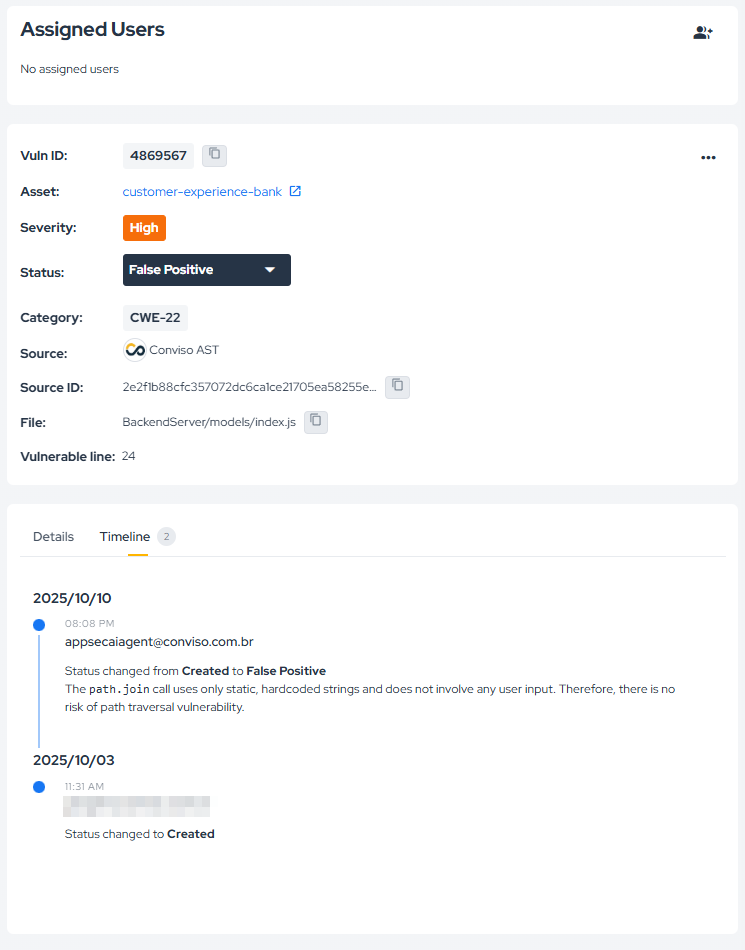
When the agent classifies a vulnerability as a false positive, the result is recorded in the vulnerability timeline together with the justification used in the analysis.
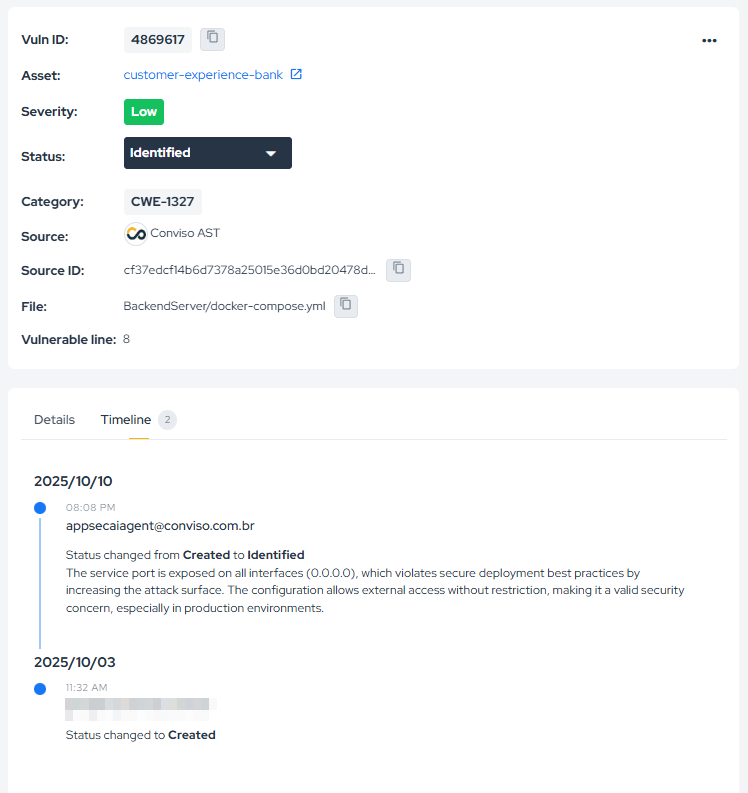
The same applies when the outcome is Identified instead of False Positive.
Requirement
To use False Positive Analysis, enable it first in Policies.
Contribute to the Docs
Found something outdated or missing? Help us improve the documentation with a quick suggestion or edit.
How to contribute