Policies
Introduction
Manage policies to tailor your experience on the Conviso Platform, enabling features that enhance usability according to your needs.
Usage
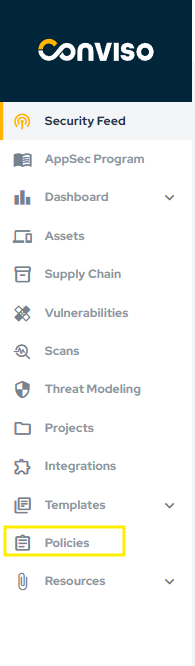
To manage your policies, in the main left menu, click on Policies:
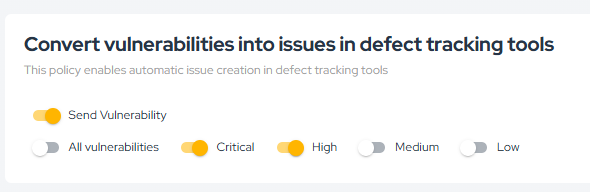
The Transform vulnerabilities into issues in defect trackers policy allows you to automatically create issues in Defect Tracking Tools based on your vulnerabilities. You can configure this policy to apply only to specific vulnerability severities or all severities, selecting the All vuln checkbox:
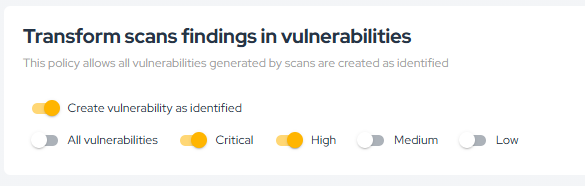
The Transform scans findings in vulnerabilities policy allows you to automatically change the status of vulnerabilities generated from scans to Identified instead of the default Created status. You can configure this policy to apply only to specific vulnerability severities or all severities, selecting the All vuln checkbox. To understand how these statuses behave in the platform, see Workflow Status:
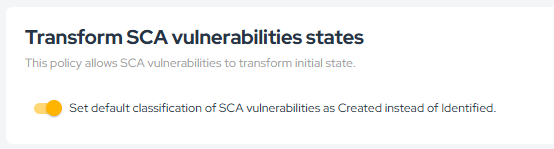
The Transform SCA findings states policy lets you adjust the initial status of SCA findings. By default, the initial status is Created. However, by selecting this checkbox, the initial status will be set to Identified. For status definitions, see Workflow Status.
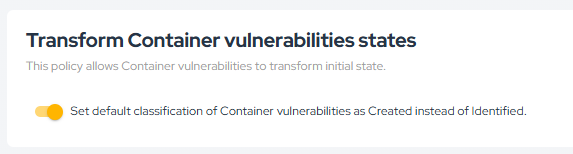
The Transform Container vulnerabilities states policy lets you adjust the initial status of Container findings. By default, the initial status is Created. However, by selecting this checkbox, the initial status will be set to Identified. For status definitions, see Workflow Status.
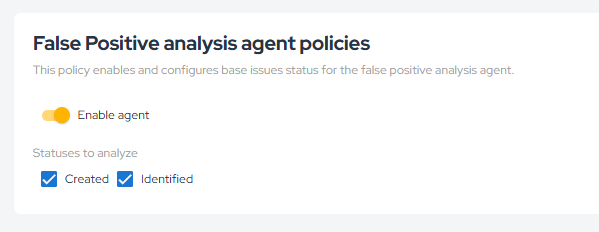
The False Positive Analysis Agent Policies policy allows you to enable False Positive Analysis to analyze vulnerabilities with our AI agent, giving you the possibility to analyze issues with Created and/or Identified status. Learn more in False Positive Analysis and review the related status behavior in Workflow Status.
Enhance your development lifecycle's security with the Conviso Platform. Join us today and foster a security-first culture!
Support
Should you have any questions or require assistance while using the Conviso Platform, feel free to reach out to our dedicated support team.
Contribute to the Docs
Found something outdated or missing? Help us improve the documentation with a quick suggestion or edit.
How to contribute